
Warzone cosmetic preview
Weapon camos, operator skins, and blueprint visuals drawn on this PC for preview only — not unlocks on official servers.
Library
Camos and skins on this PC only
Weapon blueprints, camo patterns, and operator skins show up in a client-side preview library. Nothing here claims to unlock items on official servers.
5 cosmetic rows continue lower on this page.
Overview
Cosmetics on your client, not in inventory
Where weapon camos and operator skins render locally, what never syncs to Activision servers, and how to confirm a look is listed before checkout.
Skin Changer loads operators and weapon camos for local preview in the Warzone client. You do not purchase each look for preview.
Squadmates still see your owned cosmetics. Nothing is written to live inventory. Before you purchase, confirm the skin list matches your client patch.
What the client previews
This lightweight client swaps local assets for operators, weapon camos, and blueprints in the Warzone client. You do not buy each cosmetic for preview. Nothing is written to live inventory.
Seen on your display alone
Previews stay on your machine. Squadmates and enemies see whatever your account owns. Trading and collection progress stay unchanged. Closing the client restores default looks.
The supported list can move
A Warzone patch can remove operators or camos from the current library. A Windows update can affect the loader too. Before purchase, ask support whether your client build is still listed. A cosmetic client can still conflict with game terms and can lead to account action.
PC setup for the cosmetic client
Windows 10 or 11 is required, with HVCI and Core Isolation on, and with TPM and Secure Boot on. After purchase you also need loader access.
Groups
Cosmetic groups in the library
These cosmetic types open once the skin utility license is active.
- Outfit previews
- Weapon skin variants
- Ward skin previews
- Emote previews
- Warzone client local preview
- Lightweight cosmetic client
- Visible to you only in game
- Preview ends when the client exits
- Windows 10 and Windows 11 support
When access arrives
Frames first, portal access second
Frame notes stay on the left. The right side covers portal access and how the preview client is set up.
Shots
- Layer A
Local cosmetics
Operators and weapon camos render on your client only—not in live inventory.
More products
Pairs well with
The other Warzone cheats and utilities, with a separate page for each license.
- Warzone Cheats A Windows menu with aimbot, player ESP, loot ESP, soft aim, radar, recoil and no-spread helpers, and stream-proof overlay. Cloud DMA has to be connected before the full set runs. View details: Warzone Cheats
- HWID Spoofer After a hardware flag, this license rewrites disk serials, MAC addresses, GPU IDs, and related fingerprints RICOCHET Anti-Cheat may collect. Trace cleanup is in the same license. View details: HWID Spoofer
- Cloud DMA Cloud DMA can also require GREENWARD, Static Server, and AWS, each bought on its own. Read that list on the Cloud DMA page before you order. View details: Cloud DMA
FAQ
Questions about this page
Answers for this page. The FAQ page holds the rest.
Blog
Related guides
Filter by topic for cheat modules, Cloud DMA, HWID tools, and error codes.
Explore Warzone Skin Changer software, operator appearances, weapon cosmetics, blueprints and the distinction between visual changes and ownership.
Understand Warzone operator skin-changing software, character appearances and the differences between cosmetic previews and official unlocks.
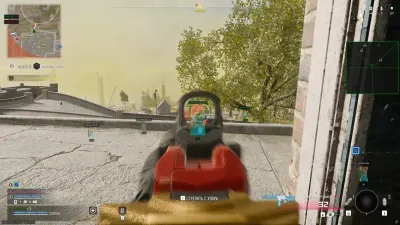
Explore Warzone camo-changing software, weapon skins, mastery camouflage and the difference between cosmetic previews and official progression.
Compare Warzone Skin Changer and Unlock All software claims, including local appearances, account-owned cosmetics and progression restrictions.
Understand Warzone Skin Changer problems involving unsupported cosmetics, software activation, game updates and official inventory issues.
Warzone read-only threads
Read discussion
Read-only answers on Warzone Cheats, aimbot, ESP, Cloud DMA, HWID panels, and RICOCHET Anti-Cheat. Each answer points at a longer note.
- Skin Changer Skin changer vs unlock-all mod menus Local cosmetic swaps differ from claiming every bundle server-side. Only one model fits legit shops.
- Skin Changer Blueprint visuals without owning the bundle Weapon blueprints render from client assets you already downloaded. They reset after certain patches.